> For the complete documentation index, see [llms.txt](https://docs.besparks.co/llms.txt). Markdown versions of documentation pages are available by appending `.md` to page URLs; this page is available as [Markdown](https://docs.besparks.co/jia-gou-gong-neng/di-tu-mo-zu.md).

# 地圖模組

地圖模組可讓您整合線下門市、分店資訊，並透過 CRM 的 LINE Bot 提供地圖查詢功能。

<mark style="color:orange;">**Step 1.**</mark> 確認加購後，請重新登入，可以在左側工具列中的「設定」，找到「地圖模組」。<br>

<figure><img src="/files/Y4wER4NxmIE3ZZC15fq0" alt="" width="171"><figcaption></figcaption></figure>

<mark style="color:orange;">**Step 2**</mark> 匯入門市資料

您需要先準備一份包含門市地址清單的檔案，格式&#x70BA;***CSV***。

然後，您可以透過匯入功能，將門市資料導入至 CRM 系統。

<mark style="color:orange;">**Step 3**</mark> 自定義地圖圖標樣式

您可以為您的門市設定獨特的地圖圖標樣式。同樣地，您需要準備好圖標圖片，建議尺寸為 ***5mm\*5mm***，格式為png。

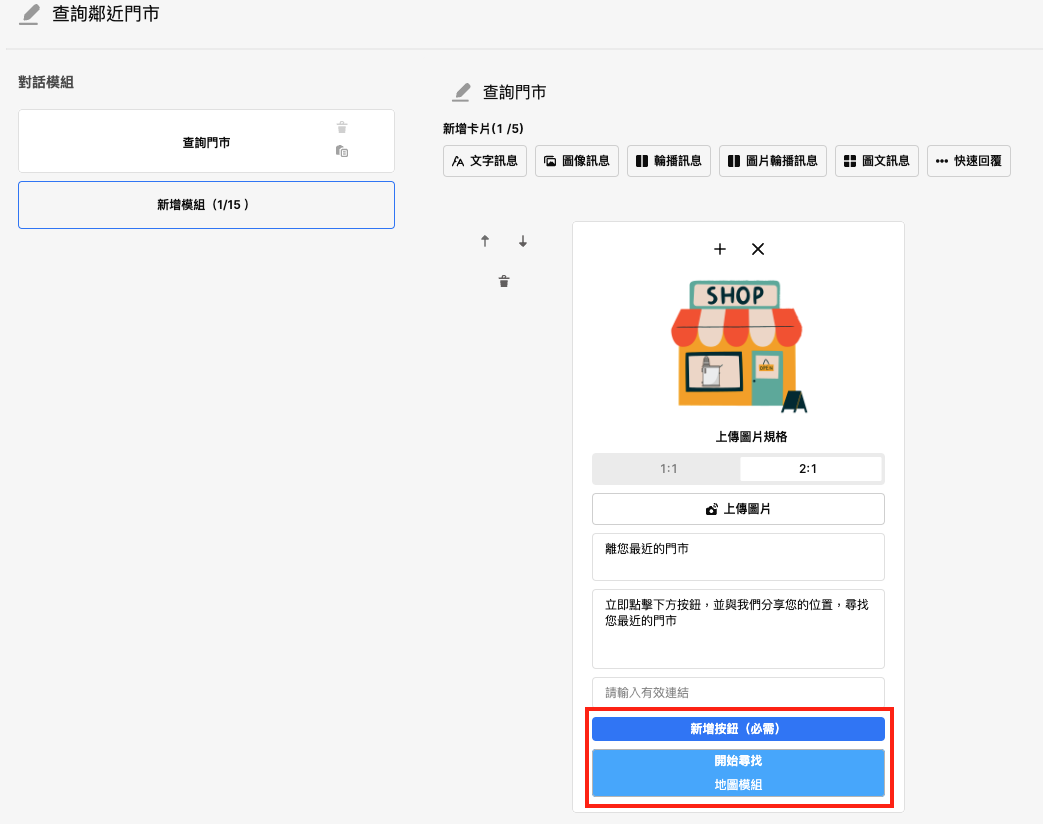
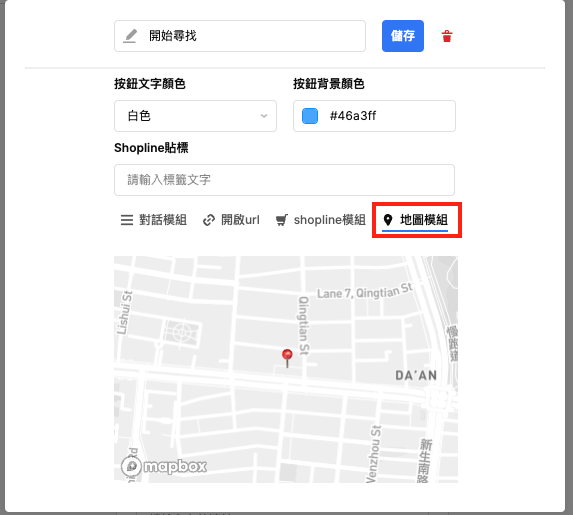
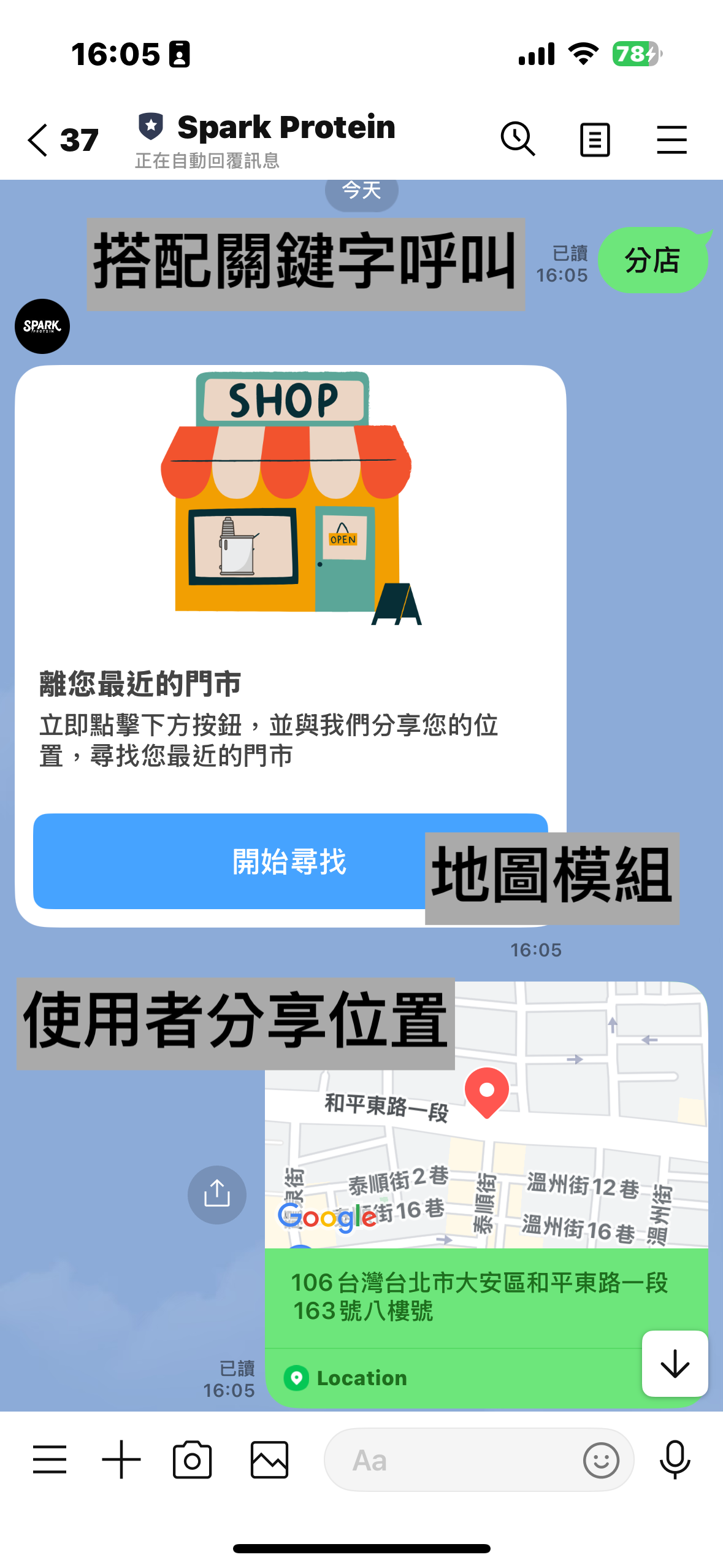
<mark style="color:orange;">**Step 4**</mark> 在 LINE Bot 中使用地圖模組

完成門市資料匯入和圖標設定後，您就可以在LINE機器人中使用地圖模組功能。搭配關鍵字自動回覆，使用者只要分享目前所在地的位置資訊，即可查詢距離最近的門市資訊。

<div><figure><img src="/files/Z1XPsLegfxSpQkoEvNad" alt=""><figcaption></figcaption></figure> <figure><img src="/files/bF8mm6kMkFvJ34DatxQA" alt=""><figcaption></figcaption></figure></div>

<div><figure><img src="/files/tJOr4qB2f4NdPF8IyHnI" alt=""><figcaption></figcaption></figure> <figure><img src="/files/7c5aMlenVHfpXplWFmso" alt=""><figcaption></figcaption></figure></div>


---

# Agent Instructions
This documentation is published with GitBook. GitBook is the documentation platform designed so that both humans and AI agents can read, navigate, and reason over technical content effectively. Learn more at gitbook.com.

## Querying This Documentation
If you need additional information that is not directly available in this page, you can query the documentation dynamically by asking a question.

Perform an HTTP GET request on the current page URL with the `ask` query parameter:

```
GET https://docs.besparks.co/jia-gou-gong-neng/di-tu-mo-zu.md?ask=<question>
```

The question should be specific, self-contained, and written in natural language.
The response will contain a direct answer to the question and relevant excerpts and sources from the documentation.

Use this mechanism when the answer is not explicitly present in the current page, you need clarification or additional context, or you want to retrieve related documentation sections.